ZenLedger Review 2026: A CPA's Honest Walkthrough

By Garrett Taylor, CPA #133092
Reviewed by Leanne Grant, EA #00167954-EA
Key Takeaways
- ✓The tax-loss harvesting tool identifies real opportunities but ignores wash sale implications, which can create compliance problems if you follow its suggestions blindly
- ✓✓The tax-loss harvesting tool ZenLedger offers identifies real opportunities but ignores wash sale implications, which can create compliance problems if you follow its suggestions blindly
- ✓ZenLedger supports fewer exchange integrations (400+) than Koinly (800+), making it a weaker fit for multi-exchange portfolios
- ✓✓ZenLedger supports fewer exchange integrations (400+) than Koinly (1,000+), making it a weaker fit for multi-exchange portfolios
- ✓✓Pricing escalates fast: the Platinum ($399) and Unlimited ($999) tiers are hard to justify unless you specifically need the bundled CPA consultation hours
“This guide has been reviewed for accuracy by Leanne Grant, Enrolled Agent, specializing in cryptocurrency tax compliance and IRS audit representation.”
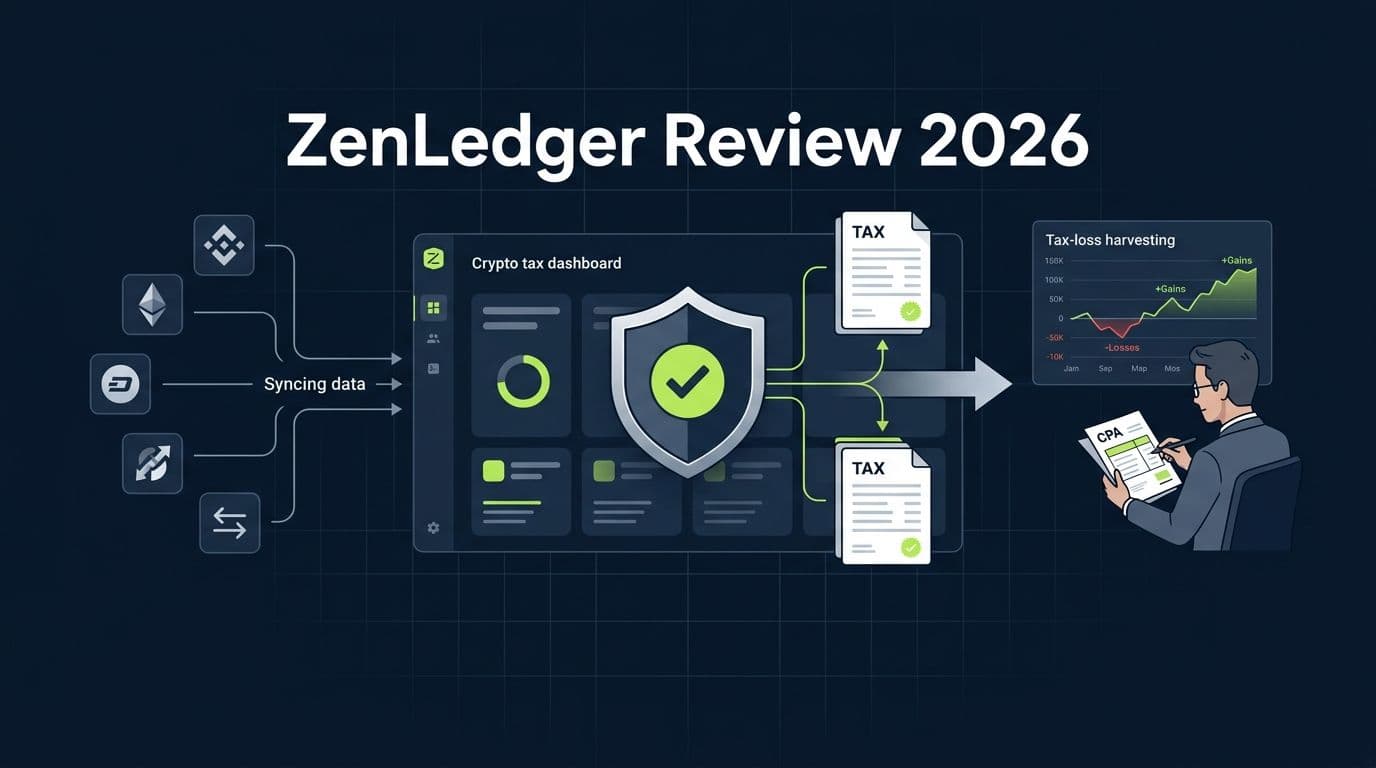
If you've spent any time searching for crypto tax software, you've seen ZenLedger on the list. It shows up in every roundup. It markets itself as the "IRS-ready" platform. A
This is a CPA's honest walkthrough. Not a listicle. Not a comparison page written by someone who's never filed a crypto return. A real assessment.
Let's break it down.
The 30-Second Verdict
ZenLedger is a capable mid-tier crypto tax tool with a unique audit report selling point. If IRS readiness is your top priority and you file through TurboTax or TaxAct, ZenLedger delivers a clean workflow for centralized exchange activity.
But the premium pricing and limited exchange integrations make it hard to recommend over Koinly for most users.
. The tax-loss harvesting tool is useful but incomplete. And once you step outside the centralized exchange world into DeFi, bridges, or LP positions, ZenLedger's accuracy drops in ways that matter at filing time.
400+ integrations
ZenLedger's exchange and wallet coverage. Koinly supports 1,000+. If you trade on smaller or international exchanges, check ZenLedger's supported list before committing to a plan.
The bottom line: ZenLedger is a solid choice for audit-conscious investors with straightforward portfolios who file through TurboTax. For complex portfolios, DeFi users, or anyone who wants the broadest exchange coverage, Koinly remains the stronger all-around tool.
ZenLedger Free vs Paid: What You Actually Get
This is the first thing everyone wants to know. ZenLedger has five tiers, and the jump between them is steep.
ZenLedger Plans: Free Through Unlimited (2026)
| Feature | Free ($0) | Silver($49) | Gold ($199) | Platinum ($399) | Unlimited ($999) |
|---|---|---|---|---|---|
| Transaction limit | 25 | 100 | 5,000 | 15,000 | Unlimited |
| Exchange integrations | All | All | All | All | All |
| Tax report preview | Yes – 1 hr | Yes | Yes | Yes | Yes |
| Downloadable Form 8949 | Yes | Yes | Yes | Yes | |
| TurboTax / TaxAct integration | Yes | Yes | Yes | Yes | |
| DeFi support | Yes | Yes | Yes | ||
| NFT support | Yes | Yes | Yes | Yes | Yes |
| Tax-loss harvesting tool | Yes | Yes | Yes | Yes | Yes |
| Yes | Yes | Yes | Yes | Yes | |
| Yes | No | No | |||
| Priority live support | No | No | No | Yes | Yes |
| Grand Unified Accounting | No | No | No | No | Yes |
Here's the honest take on each tier:
Free tier: Identical to most competitors. Twenty-five transactions, no downloadable reports, no DeFi. It exists so you can test the import process. That's it.
Silver ($49): The cheapest paid option, but the 100-transaction cap makes it almost as limiting as Free. If you've made more than a handful of trades in 2025, you'll blow past 100 immediately. This tier exists for the person who bought Bitcoin once, held it, and sold it once.
Gold ($199): This is where ZenLedger starts to make sense. Five thousand transactions, DeFi and NFT support, plus the tax-loss harvesting tool. For a straightforward investor on 2-4 exchanges, this covers the job.
Platinum ($399): The big jump. The main difference between Premium and Executive is the increase from 5,000 transactions to 15,000 transactions. Unless you have a very large trading history, the additional cost may not provide much extra value. Most users will find that the Premium plan's 5,000-transaction limit is sufficient for their needs.
Unlimited ($999): Built for institutions, DAOs, and extremely high-volume traders. The primary benefits of this plan are unlimited transactions and one hour of live support. Unless you have a very large transaction history or need direct assistance with complex reporting issues, most individual filers are unlikely to need the upgrade.
Pro Tip
ZenLedger charges per tax year, just like most competitors. Before you pick a tier, import everything on the free plan first. Check your actual transaction count. Don’t pay for Platinum ($399) when your 2,800 transactions would have fit within the Gold plan ($199).
Who ZenLedger Is (Actually) Best For
After reviewing ZenLedger output, three personas emerge as the best fit:
Persona 1: The TurboTax or TaxAct Filer
ZenLedger's integrations with both TurboTax and TaxAct are clean and reliable for centralized exchange activity. If you file through either platform and want a one-click export, ZenLedger handles it well. The TaxAct integration is a differentiator. Most competitors only support TurboTax.
Persona 2: The Tax-Loss Harvesting Enthusiast
Persona 3: A Tax Professional's Client You're working with a CPA and need to provide clean, organized crypto tax reports. ZenLedger's detailed reports and accountant access features make it easier to share data and collaborate with your tax preparer, reducing back-and-forth during tax season.
ZenLedger may not be the best choice for everyone. Heavy DeFi users who need precise categorization of liquidity pool transactions, bridges, and yield farming activity may find that more specialized tools better meet their needs. Likewise, high-volume traders who rely on a large number of exchange and wallet integrations may want to compare ZenLedger's coverage against other platforms. Cost-conscious filers focused on basic crypto tax reporting can often find similar core functionality at a lower price point elsewhere. Finally, investors who prefer to use the Specific Identification (Spec ID) cost basis method should be aware that ZenLedger does not currently support it.
You actively manage your crypto portfolio for tax efficiency. You want software that identifies unrealized losses across your holdings so you can sell strategically before year-end. ZenLedger's TLH dashboard shows this in real time. It's a useful tool with important caveats we'll cover below.
Related reading: best crypto tax software.
The 5 Most Common ZenLedger Errors (and How to Fix Each)
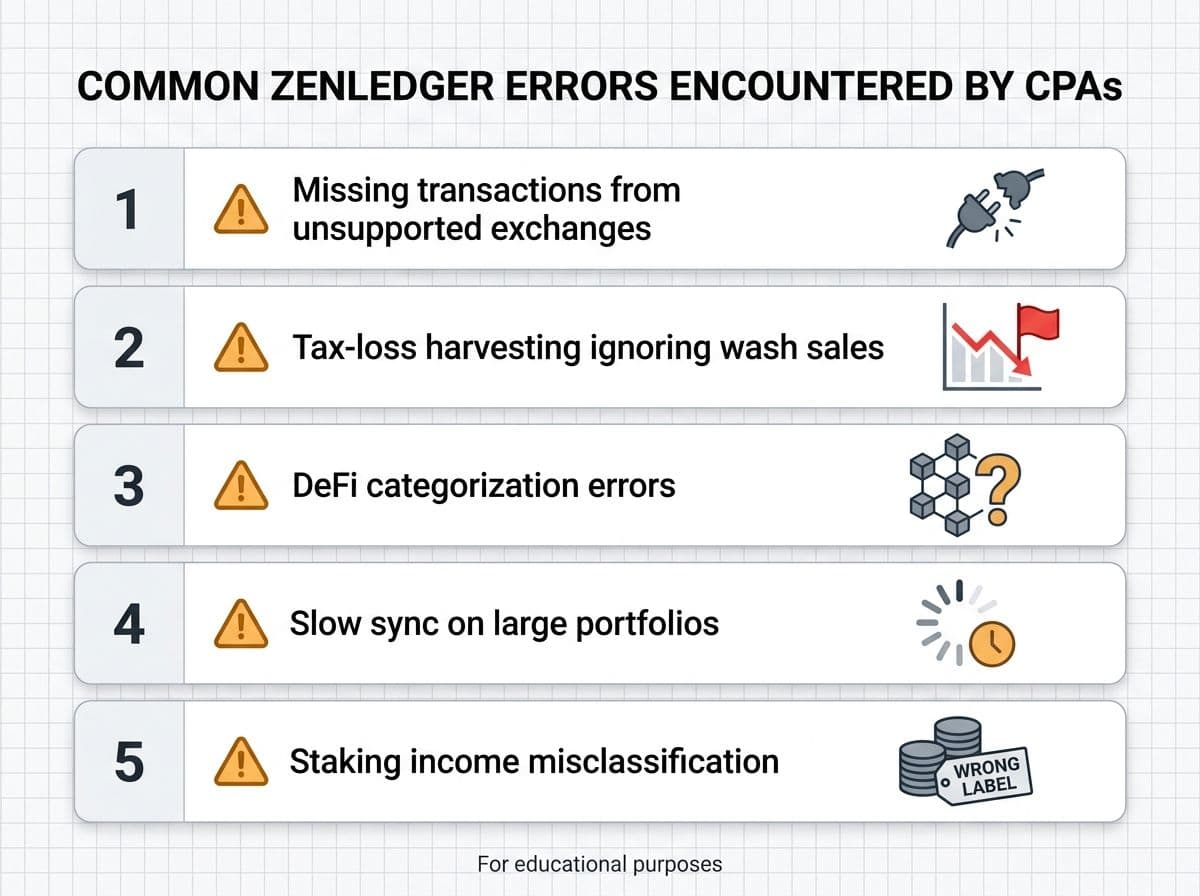
Every crypto tax platform produces errors. Here are the five we correct most often when reviewing ZenLedger output.
1. Missing Transactions from Unsupported Exchanges
ZenLedger supports 400+ integrations, which sounds like a lot until you discover your exchange isn't on the list. The result: incomplete transaction history and incorrect cost basis across your entire portfolio.
Fix: Export a CSV from the unsupported exchange and use ZenLedger's universal CSV importer. The format requirements are strict. Column headers must match ZenLedger's template exactly, or the import will fail silently with partial data. Always verify your transaction count after import.
2. Tax-Loss Harvesting Tool Requires Careful Review
ZenLedger's tax-loss harvesting tool identifies unrealized losses and highlights opportunities to realize those losses before year-end. While the tool can be useful, users should not rely on it blindly. The software cannot account for your broader tax situation, holding periods, future investment plans, or potential legislative changes. A transaction that appears beneficial from a tax perspective may not align with your overall investment strategy.
Fix: Review any tax-loss harvesting recommendation in the context of your full portfolio and tax situation. If the tax savings are significant, consider consulting a CPA before executing the strategy.
3. DeFi Transaction Categorization Errors
ZenLedger's DeFi parsing struggles with the same things most platforms struggle with: LP entry/exit, wrapped token conversions, and cross-chain bridges. The difference is that ZenLedger's error messages are less descriptive than Koinly's, making it harder to diagnose what went wrong.
Fix: Review every DeFi transaction tagged as a "Trade" or "Sale." If it was actually an LP deposit, bridge transfer, or token wrap, recategorize it manually. ZenLedger's manual edit interface is functional but slower than Koinly's bulk-edit tools.
4. Slow Sync and Timeout on Large Portfolios
Clients with 10,000+ transactions report frequent sync timeouts, especially when importing from multiple exchanges simultaneously. The platform doesn't always recover gracefully. Sometimes a partial import completes without notification, leaving gaps in your data.
Fix: Import one exchange at a time. Wait for each to complete fully before starting the next. After all imports finish, compare your transaction count against your exchange records. If numbers don't match, delete and re-import the problematic exchange.
5. Staking Income Misclassification
ZenLedger occasionally categorizes staking rewards as capital gains events rather than ordinary income. This understates your income tax liability and overstates your capital gains, per IRS Revenue Ruling 2023-14 which clarified that staking rewards are taxable as ordinary income upon receipt.
Fix: Filter your transaction list by "Staking" and verify each entry is classified as income, not as a trade. If it shows as a buy/sell pair, recategorize it as staking income at the fair market value on the date received.
A note on error severity: Not all of these errors carry equal weight. Missing transactions from unsupported exchanges (#1) and staking misclassification (#5) directly affect your tax liability and can trigger IRS notices if the exchange-reported 1099-DA data doesn't match your filed return. DeFi categorization errors (#3) and slow sync issues (#4) are more of a workflow problem. The wash sale blind spot (#2) is a compliance time bomb that may not explode until the IRS finalizes digital asset wash sale guidance, at which point you may need to amend prior returns.
Tax-Loss Harvesting Tool: Does It Actually Work?
ZenLedger's tax-loss harvesting dashboard is the platform's second major differentiator. Let's walk through how it works, where it helps, and where it can actually hurt you.
How it works:
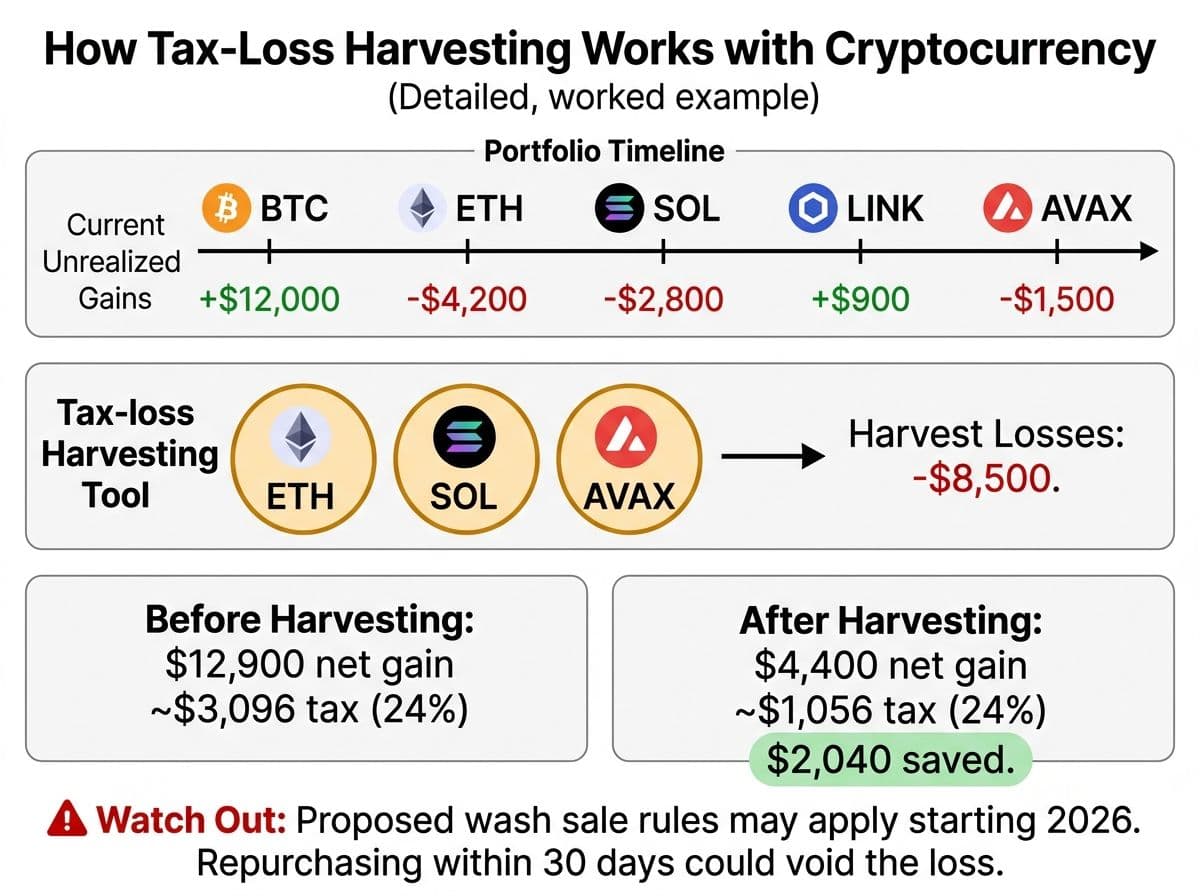
The TLH dashboard pulls your current portfolio holdings and compares each asset's current market price against your cost basis. Assets trading below your cost basis show as unrealized losses. ZenLedger calculates the amount of coins to sell to maximize losses
A worked example:
Let's say you hold 2 ETH purchased at $3,200 each ($6,400 total cost basis). ETH is currently trading at $2,100. ZenLedger's TLH tool shows:
- Unrealized loss: $2,200 ($6,400 cost basis minus $4,200 current value)
- Recommendation: Sell to harvest the loss
Straightforward so far. You sell the 2 ETH, realize a $2,200 capital loss, and offset gains elsewhere on your return or deduct up to $3,000 against ordinary income per 26 USC Section 1211.
Where the tool falls short:
Here's the problem. Let's say you also bought 0.5 ETH on a DCA schedule three weeks before you execute the harvesting sale. Under the proposed wash sale rules for digital assets, if crypto becomes subject to wash sale provisions (as many tax professionals expect), that purchase within the 30-day window would disallow a portion of your harvested loss.
ZenLedger's tool does not flag this. It does not check your recent purchase history. It does not warn you about wash sale exposure. It simply shows the unrealized loss and the potential savings.
What this means in practice:
- If you follow the TLH suggestion and have made purchases of the same asset within 30 days, you may be claiming a loss the IRS could later disallow.
- The current state of crypto wash sale rules is ambiguous. The IRS has not issued definitive guidance. But the direction of enforcement clearly trends toward applying wash sale rules to digital assets.
- Acting on automated TLH suggestions without consulting a tax professional creates real compliance risk.
Pro Tip
ZenLedger's TLH tool is a screening tool, not tax advice. It identifies potential harvesting opportunities without evaluating whether executing those trades creates wash sale exposure or conflicts with your broader tax strategy. Always consult a CPA before executing a tax-loss harvesting strategy, especially across multiple accounts or exchanges.
When the TLH tool genuinely helps:
Despite the limitations, there are scenarios where the tool earns its keep. If you hold 15-20 different tokens across multiple exchanges, manually tracking unrealized gains and losses across all of them is tedious. ZenLedger aggregates this into a single dashboard view. For year-end tax planning sessions with your CPA, this summary is a useful starting point for deciding which positions to close. The tool also helps identify opportunities you might miss.
The fair assessment: The TLH dashboard is useful as a portfolio-level view of your unrealized gains and losses. It saves time on the screening step. But treating its suggestions as actionable without professional review is risky. Just use it as a starting point, not a finish line.
ZenLedger vs Koinly: Side-by-Side
This is the comparison most people searching for a ZenLedger review actually want. Here's an honest, CPA-perspective breakdown.
ZenLedger vs Koinly (2026)
| Feature | ZenLedger | Koinly |
|---|---|---|
| Exchange integrations | 400+ | 1,000+ |
| DeFi quality | Basic | Strong |
| NFT handling | Basic | Good |
| TurboTax export | Excellent | Good |
| TaxAct export | Yes | No |
| Cost basis methods | FIFO, LIFO, HIFO | FIFO, LIFO, HIFO, Spec ID |
| Tax-loss harvesting tool | Built-in dashboard | Tax Optimization dashboard |
| IRS audit defense | No | |
| Priority support | 1hour(Unlimited) | Chat support included in all paid plans |
| CPA collaboration | Read-only access | Collaborator access |
| 1099-DA reconciliation | Basic | Advanced |
| Free tier | 25 transactions (no reports) | Unlimited imports (no reports) |
| Error detection | Basic flags | Detailed warnings with fix suggestions |
| Starting price (paid) | $49 (100 txns) | $49 (100 txns) |
| Mid-tier price | $199 (5,000 txns) | $199 (3,000 txns) |
| Interface simplicity | Clean | Clean |
| Wash sale awareness | None | Limited |
| Best for | Audit-conscious TurboTax filers | All-around investors, DeFi users |
The quick summary:
Choose ZenLedger if: You file through TurboTax or TaxAct, and your activity is mostly centralized exchange trading. The TLH tool is a bonus for active portfolio managers who understand its limitations.
Choose Koinly if: You trade on multiple exchanges, have DeFi activity, want Specific ID cost basis, or work with a CPA who wants direct account access. Koinly offers more integrations, better DeFi handling, and significantly better pricing at every tier.
What about CoinLedger? If you're deciding between all three, CoinLedger slots between ZenLedger and Koinly. Ithas a better TurboTax export than Koinly, but lacks the TLH tools that differentiate ZenLedger. CoinLedger's DeFi support is comparable to ZenLedger's, meaning both lag behind Koinly. For a deeper comparison, see our CoinLedger review.
Related reading: Koinly guide and CoinTracker review and CoinLedger review.
When ZenLedger Isn't Enough
There's a point where any DIY crypto tax tool stops being the right answer. Here's how to know you've passed that point with ZenLedger:
- Your ZenLedger report shows unresolved warnings you don't understand
- You have crypto activity on exchanges ZenLedger doesn't support and can't import via CSV
- You've received an IRS notice (CP2000, Letter 6173, or Letter 6174-A)
- You executed tax-loss harvesting trades without checking for wash sale exposure
- You have international exchange accounts that may trigger FBAR (FinCEN Form 114) filing requirements
- Your DeFi activity spans multiple chains and includes LP positions, bridges, or lending
- You want to optimize cost basis using Specific Identification, which ZenLedger doesn't support
- You need to amend a prior-year return because of crypto errors or missed filings
- Your portfolio exceeds $250K and the stakes of a filing error justify professional review
Action Steps
Here's what to do next, based on where you are:
If you're evaluating ZenLedger:
- Create a free account and import your primary exchanges
- Check your actual transaction count. If it's under 100, the Silver ($49) tier works. If it's under 5,000, you need Gold ($199). Don't overpay for Executive unless you truly need it.
- Verify that your exchanges are on ZenLedger's supported list before committing to a paid plan
- If you have DeFi activity, test whether ZenLedger categorizes your LP, bridge, and staking transactions correctly before paying
If you're already using ZenLedger:
- Run through the 5 common errors above and check your data
- If you've used the TLH tool, manually verify wash sale exposure on every harvested trade
- Reconcile your ZenLedger output against your exchange 1099-DAs before filing
- If using the TurboTax or TaxAct export, verify how each transaction was categorized after import
- Keep a log of every manual adjustment you make. If audited, this documentation proves you reviewed your data
Here's the thing most crypto investors get wrong: they think the choice is between software and a CPA. It's not. The best outcome is software plus a CPA. ZenLedger handles the data aggregation, the transaction matching, and the report generation. A CPA handles the judgment calls: which cost basis method saves you the most, whether your DeFi transactions are categorized correctly, whether your wash sale exposure is real, and whether your return will match what the IRS received from your exchanges.
The software does the math. The CPA does the thinking.
Frequently Asked Questions
Is ZenLedger free to use?
ZenLedger has a free tier limited to 25 transactions with no downloadable reports, no DeFi support, and no TurboTax export. Most real-world filers need the Gold plan ($199/year) at minimum. The free tier is essentially a trial for testing the import process.
Is ZenLedger's tax-loss harvesting tool accurate?
The TLH tool accurately identifies unrealized losses in your portfolio and calculates potential tax savings. However, it does not check for wash sale exposure within the 30-day window before or after a suggested sale. Always verify recent purchases of the same asset before acting on TLH suggestions, and consult a CPA before executing a harvesting strategy.
Is ZenLedger better than Koinly?
ZenLedger is better if you specifically want bundled audit defense or a tax-loss harvesting dashboard. Koinly is better for most other use cases: it has 1,000+ exchange integrations vs ZenLedger's 400+, stronger DeFi handling, Specific ID cost basis, CPA collaboration tools, and lower pricing at every tier. For portfolios with any DeFi activity, Koinly is the stronger choice.
Does ZenLedger work with TurboTax?
Yes. ZenLedger exports directly to TurboTax and TaxAct, populating Form 8949 and Schedule D automatically. The integration works well for centralized exchange activity. DeFi income events sometimes need manual recategorization after import into TurboTax.
Does ZenLedger support TaxAct?
Yes. ZenLedger is one of the few crypto tax tools that supports both TurboTax and TaxAct direct export. Most competitors only integrate with TurboTax. If you file through TaxAct, this is a genuine differentiator for ZenLedger.
How much does ZenLedger cost in 2026?
ZenLedger's 2026 pricing: Free (25 txns), Silver $49 (100 txns), Gold $199 (5,000 txns), Platinum $399 (15,000 txns), Unlimited $999 (unlimited txns + 1 hr live support). Pricing is per tax year.
Does ZenLedger handle DeFi transactions?
ZenLedger supports basic DeFi transactions starting at the Gold tier ($199). Simple token swaps import reasonably well. However, liquidity pool entry/exit, cross-chain bridges, wrapped token conversions, and yield farming transactions frequently require manual recategorization. For heavy DeFi users, Koinly provides significantly better automatic categorization.
What cost basis methods does ZenLedger support?
ZenLedger supports FIFO (First In, First Out), LIFO (Last In, First Out), and HIFO (Highest In, First Out). It does not support Specific Identification, which allows you to choose exactly which tax lot to sell for maximum tax optimization. Both Koinly and CoinTracking offer Spec ID.
How does ZenLedger handle staking rewards?
ZenLedger categorizes most staking rewards correctly as income events. However, we occasionally see staking rewards misclassified as capital gains trades. Per IRS Revenue Ruling 2023-14, staking rewards are taxable as ordinary income at fair market value on the date received. Always verify your staking transactions are categorized as income, not trades.
Should I use ZenLedger or hire a crypto tax CPA?
It's not either/or. ZenLedger handles data aggregation, transaction matching, and report generation. A CPA handles judgment calls on categorization, cost basis optimization, wash sale analysis, and IRS compliance. For straightforward portfolios under $50K on centralized exchanges, ZenLedger alone may suffice. For anything more complex, pair ZenLedger with a CPA review.

About the author
Garrett Taylor, CPA
Former Big Four CPA. CPA #133092. Garrett answers his phone. Led by expertise. Powered by precision.
Related Articles

Best Crypto Tax Software 2026: A CPA's Honest Review of Every Major Platform
A CPA who files 500+ crypto returns reviews Koinly, CoinTracker, CoinLedger, CoinTracking, ZenLedger, and Summ. No affiliate links. Just honest verdicts.
Koinly Guide: A Crypto Tax CPA's Complete Walkthrough (2026)
A CPA's step-by-step Koinly walkthrough. Learn how to set up Koinly, avoid the 7 most common errors, and know when DIY is enough vs. when you need a pro.
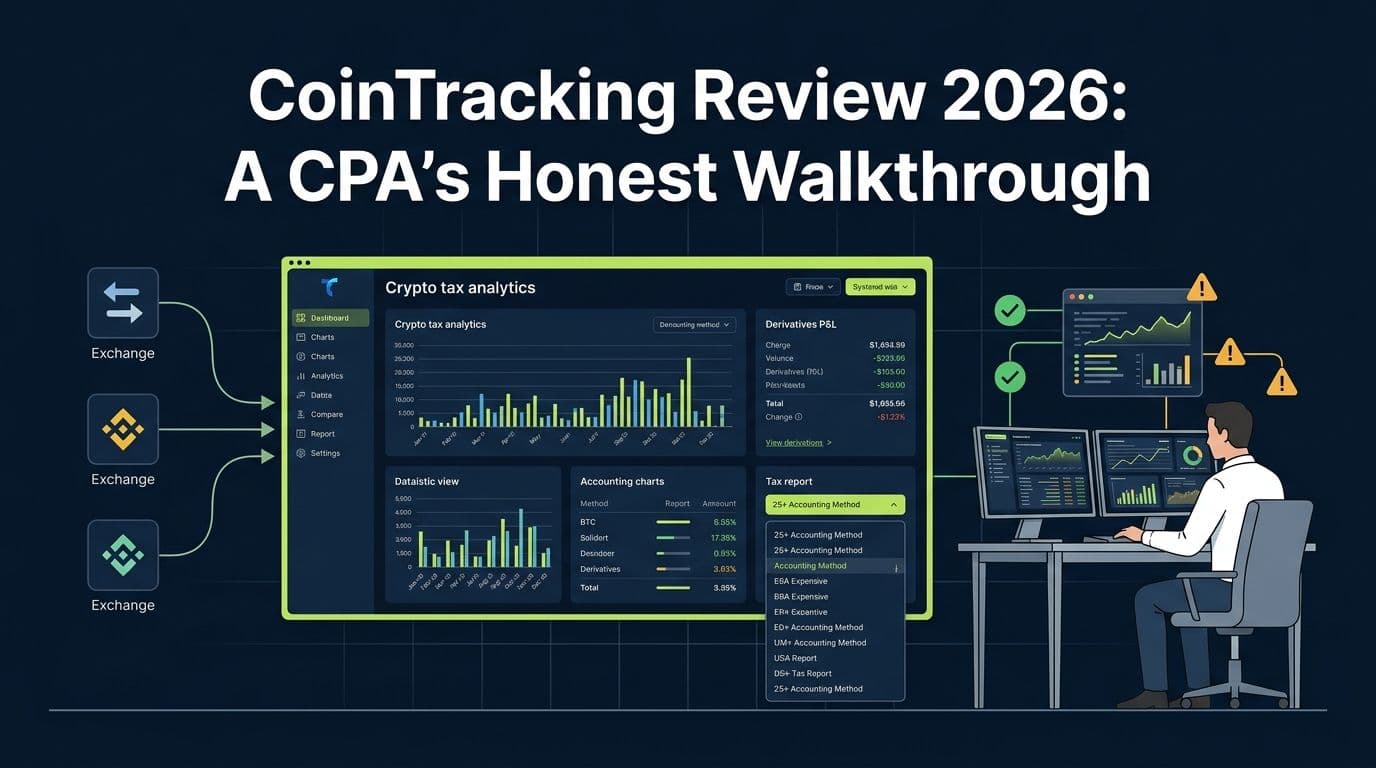
CoinTracking Review 2026: A CPA's Honest Walkthrough
A CPA's honest CoinTracking review for 2026. Futures handling, 25+ accounting methods, common errors, pricing breakdown, and how it compares to Koinly.